
If you no longer want a Recollect account, you can permanently delete it under Settings.
⚠️ Deleting your account is permanent. Deleted accounts can't be restored. If you want a copy of your notes, export them before you delete your account.
What gets deleted
When you delete your account, Recollect immediately deletes:
- Your notes and tags
- Your trash and note version history
- Your notifications
- Your account details and sign-in sessions
- The images in your notes
Your subscription is canceled, and your email address is removed from our newsletter list.
Copies in our encrypted backups are deleted automatically within 100 days. We keep limited records that contain no note content, such as billing records required by law and usage analytics for up to 13 months.
Files and videos you attached from your own Backblaze or Cloudflare account stay in that account. Recollect's access to them ends when your account is deleted, so delete them there if you want them gone.
Teams
If you own a Team, deleting your account also deletes every member's account and notes. If you're a member of a Team, the Team owner manages your account. When the owner removes you, the notes you created stay with the Team.
For more details, see the Retention section of our Privacy Policy.
Steps to permanently delete your account
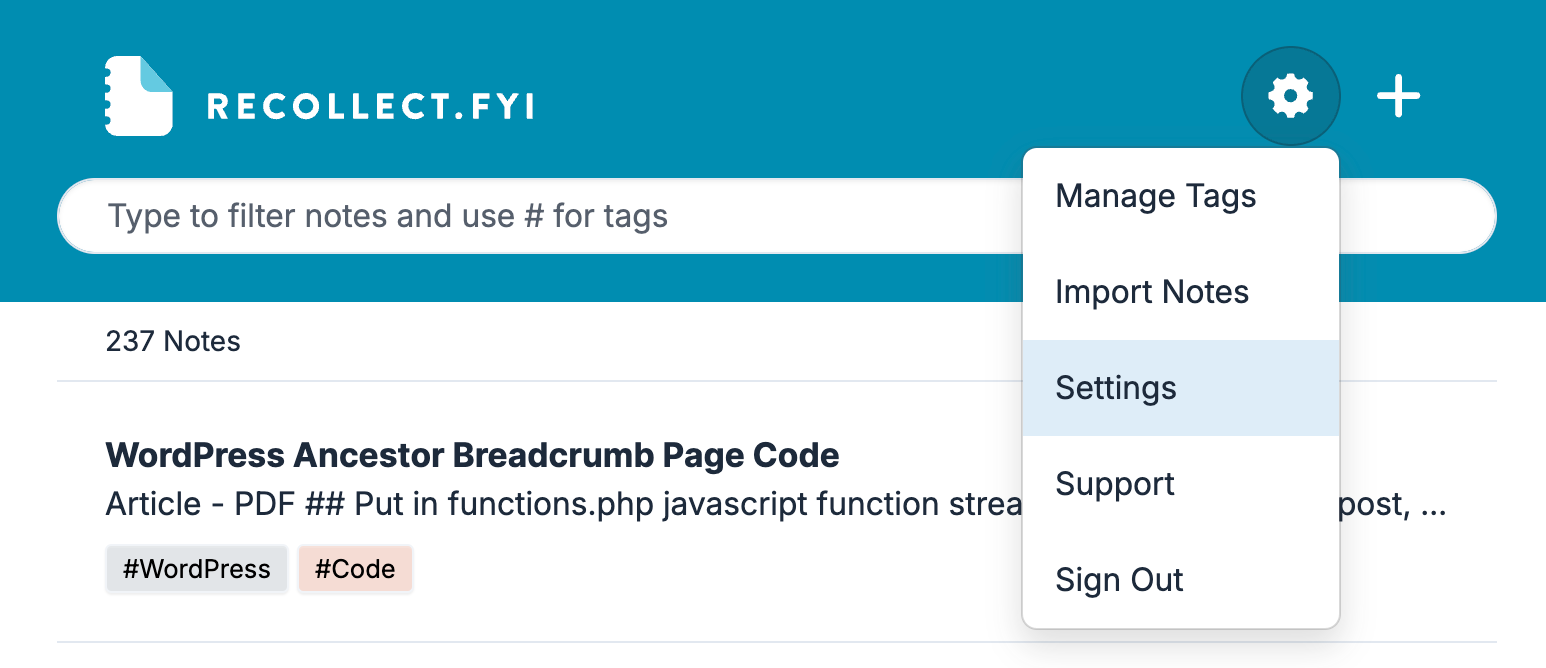
Click on the Gear icon and select Settings.
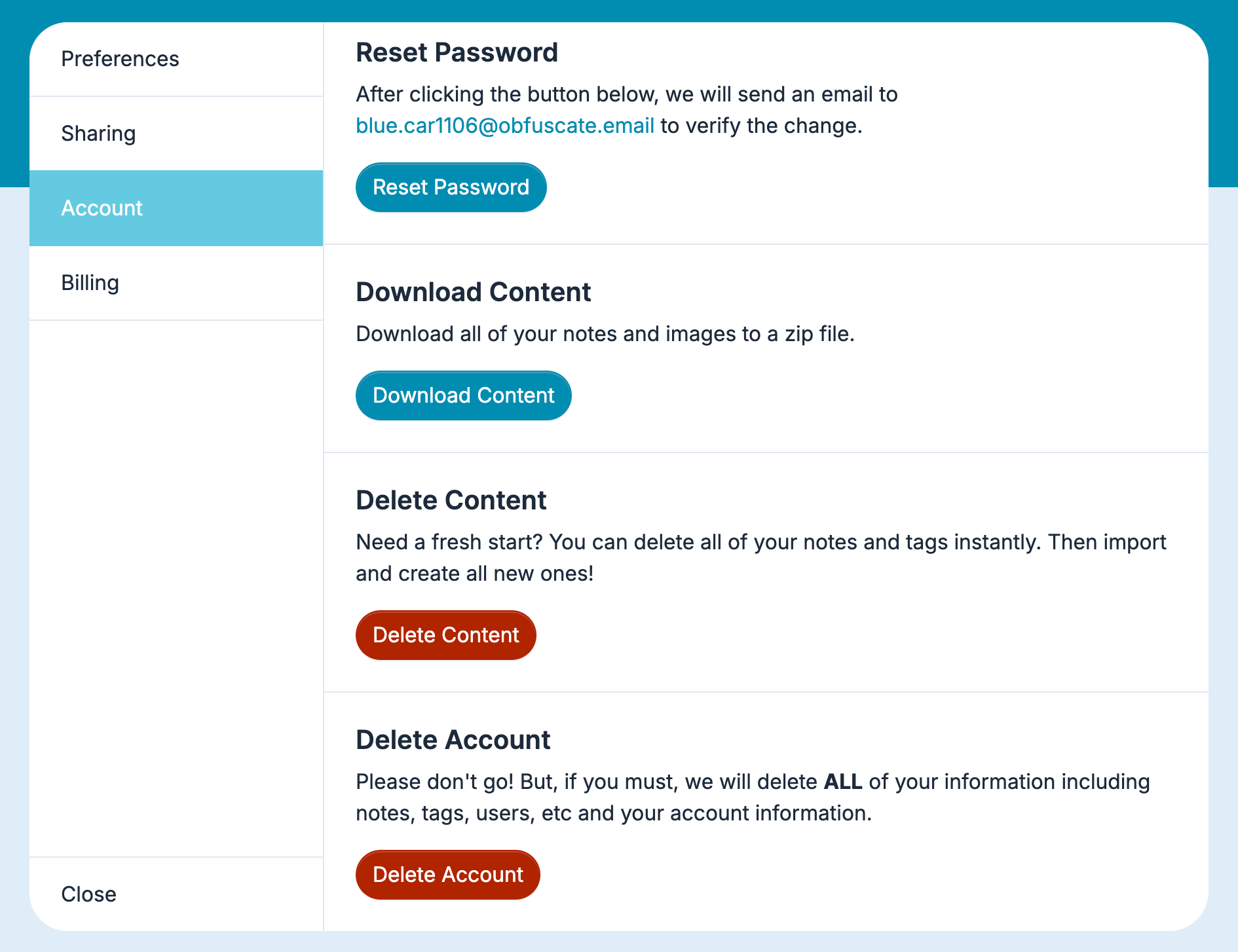
In Settings, select Account, scroll down to the bottom, and then click the Delete Account button.
A dialog asks "Delete your account and everything in it now? This can't be undone." Click Confirm to permanently delete your account and all its data.
Source: https://support.recollect.fyi/account/how-to-delete-your-account/